


AI Dress up-Try Clothes Design
4.3226.00 Reviews
App Specs
- Version
- 1.0.73
- Updated On
- License
- Free
- Downloads
- 1,000,000+
- Developer
- Bizo Mobile
- Categories
- Beauty
- Platform
- Android, iOS
Screenshots
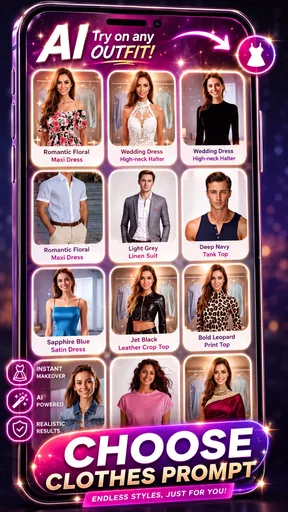
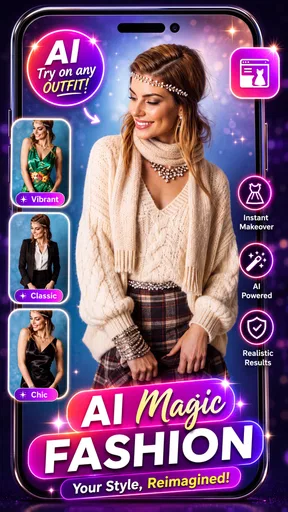
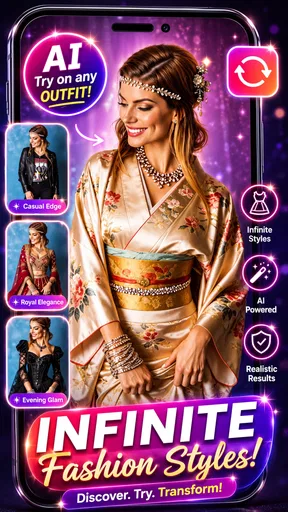
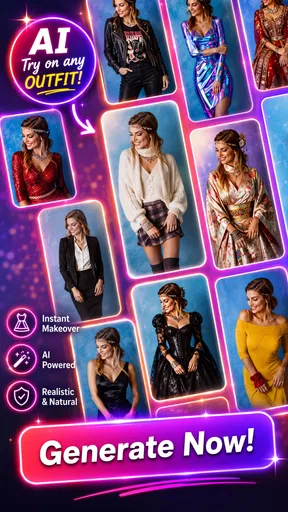
 Analysis by AppCompare
I treat a virtual outfit preview as a useful visual aid, not a promise that a garment will fit or look exactly the same in person. That distinction is the key to getting value from AI Dress up-Try Clothes Design: it can help me explore an idea before I commit to it, while real-world fabric, sizing and lighting still matter. For a quick style experiment or a second opinion on a look, that trade-off can be worthwhile.
A practical starting routine
The simplest way to begin is to choose a clear photo or take one specifically for trying on clothes, then judge the result as a styling preview rather than a fitting-room measurement. I’d use a straightforward pose and make sure the clothing area in the photo is easy to see. If the source image is cluttered or the body outline is hard to distinguish, the result may be less helpful; a fresh, uncomplicated picture gives the app a better visual starting point.
Once an image is ready, I’d test one outfit idea at a time. For example, if I’m considering a brighter top, I can focus on whether its overall look suits me instead of changing several parts of an outfit at once. That makes comparisons more useful: I can tell whether I prefer the color or silhouette without confusing the decision with a completely different style. It’s a small habit, but it turns casual browsing into a more deliberate wardrobe check.
Where it fits into a shopping decision
For online shopping, the strongest use is narrowing down options, not deciding whether to buy based on a generated image alone. If I’m torn between a relaxed look and something more polished, a visual preview can help me see which direction feels closer to my taste. I would still check the retailer’s size guide, garment details and return terms separately. The app can support the style question—“Can I picture myself in this?”—but it cannot replace the practical checks that answer “Will this particular item fit?”
It can also help when I already own a piece and want to think through what kind of outfit to build around it. A quick experiment may show that I prefer a simpler combination than the one I first imagined. That’s useful before buying another item just to complete a look. I wouldn’t treat every generated combination as a recommendation to purchase; sometimes the best result is realizing that I can work with what is already in my closet.
Settings and repeatable habits
Because the quality of a try-on depends on the image being used, I’d pay attention to the photo I select each time rather than expecting every input to produce an equally convincing preview. Keeping a few suitable, well-lit outfit photos on hand can make repeat sessions faster. I’d also compare results using the same image when I’m weighing different looks; changing the source photo at the same time can make it harder to tell whether the outfit or the picture caused the difference.
Before building a routine around the app, I’d take a moment to look through its current controls and options on my device. App interfaces can change between versions, so it’s better to rely on what is actually visible than assume a particular adjustment exists. The same goes for recommendations: I’d use them as prompts to explore, not as proof that the app has perfectly learned my taste. My own repeatable shortcut is simple—start with one photo, test a small number of distinct styles, and keep only the results that answer a real question.
Worth Reading Before You Choose

EA SPORTS FC Mobile 26 Is a Bigger Football Game, but It Takes Time

Flipboard Shows What News Apps Must Do Beyond the Feed

Switching to Android Auto Means Rethinking Your Driving Routine

Google Calendar Makes a Crowded Week Easier to Manage

Ludo King Makes the Most of the Minutes Between Plans

Baby Panda World Brings Quick Play to Modern Phones, but Its Game Library Feels Busy
Who will get the most out of it
I think this app makes the most sense for people who enjoy visual experimentation, shop online and want a low-pressure way to explore a new look. It may be especially handy when I’m preparing for an event and want to compare broad outfit directions before opening several shopping tabs. Someone who likes trying unfamiliar colors or styles can use it as a nudge to consider options they might otherwise scroll past.
It is less suited to anyone who needs dependable fit information, fabric texture, exact color matching or a detailed wardrobe inventory. A generated image cannot tell me how a sleeve feels, whether a material drapes comfortably or whether a product’s real shade matches my screen. If those are the deciding factors, product photos, measurements and an in-person try-on are better tools. People who prefer direct outfit advice from a human stylist may also find an AI preview too limited, especially when the choice depends on context the image cannot show.
How it compares with familiar alternatives
Compared with browsing ordinary product photos, a virtual try-on can make an outfit feel more personal because I’m looking at a version of it on my own image rather than only on a model. Compared with standing in a physical fitting room, though, it is less useful for judging fit, movement and comfort. And compared with a basic inspiration board, it is more directly tied to seeing a clothing idea on a photo of me, while a board may be better for collecting references from different sources.
That makes the app a middle step rather than a complete replacement for shopping or styling. I can use it to reduce a long list to a few possibilities, then verify those choices through the retailer or by trying the clothes on. This division of labor is important: the app is most convincing when the question is visual and exploratory, and less convincing when I need a precise, purchase-ready answer.
Cost, compatibility and context
AI Dress up-Try Clothes Design is a free beauty app from Bizo Mobile, with optional in-app purchases ranging from $0.99 to $189.99 per item. I’d check the purchase details in the app before spending, particularly if I only want occasional experiments; a free starting point does not mean every option is included at no cost. The app is rated for Everyone, and its current version is 1.0.56, with Android support starting at version 6.0.
Its average rating is 3.9 from around 42,000 ratings, and it has passed one million installs. Those figures suggest that plenty of people have tried it, but they don’t tell me whether a particular photo or outfit will produce a result I like. I’d make that judgment through a few low-stakes trials, rather than assuming the experience will be identical for every user.
Try Before You Buy
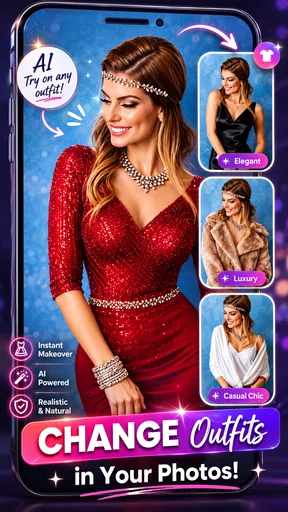
Imagine this: you're scrolling through your favorite online store, but you're unsure how that trendy jacket will look on you. Enter AI Dress up-Try Clothes Design. With just a few taps, you can see how any outfit looks on you without even leaving your house. The app uses advanced AI to map clothes onto your image, giving you a realistic preview. It's like having a virtual fitting room, and honestly, it’s a lifesaver.
How It Works
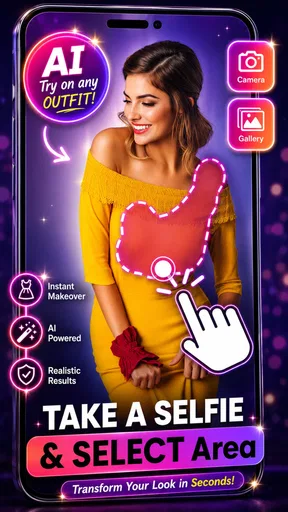
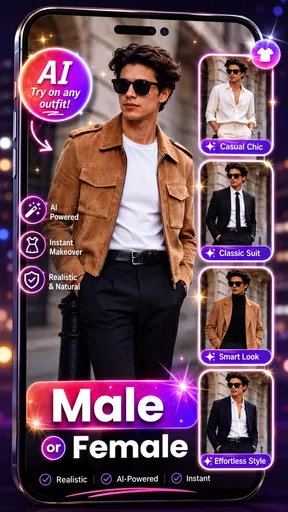
The app is super user-friendly. Start by uploading a photo of yourself or use your camera to snap a pic. The AI technology takes over from there, mapping the clothes onto your body in a way that looks natural and effortless. You can browse through a wide selection of styles, from casual wear to formal outfits, and even mix and match to create your own ensemble.
Personalized Recommendations
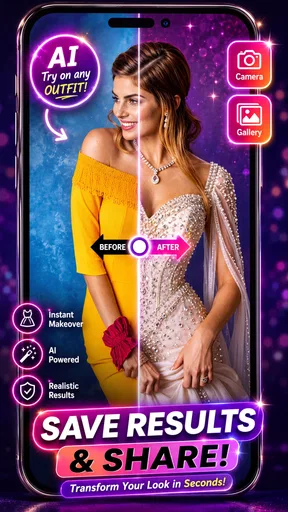
One of the coolest features is the personalized recommendations. The app learns your style preferences over time, suggesting outfits you’re bound to love. It's like having a personal shopper who knows exactly what you’re into. Plus, you can save your favorite looks for future reference.
Stay Updated with Trends
If staying trendy is your thing, this app has got you covered. It keeps you updated with the latest fashion trends and suggests outfits that are currently in vogue. Whether it's the latest streetwear or chic office attire, you'll always be in the loop.
Share Your Style
What's fashion without a little sharing? With the app’s social feature, you can share your favorite looks with friends and get their opinions. It's a fun way to engage with your style-loving pals and maybe even inspire them to try the app themselves.
In conclusion, whether you're a fashion newbie or a style guru, AI Dress up-Try Clothes Design offers something for everyone. It's convenient, fun, and surprisingly accurate. It takes the guesswork out of shopping and makes finding the perfect outfit a breeze. So why not give it a whirl? Your wardrobe will thank you!
Pros
- User-friendly interface for easy navigation.
- Wide variety of clothing styles available.
- Realistic 3D avatars enhance experience.
- Quick outfit previews save time.
- Customizable settings for personalized use.
Cons
- Limited free options; many items paid.
- Occasional app crashes disrupt usage.
- Requires internet for full functionality.
- Some features need improvement.
- Advertisements can be intrusive.
FAQs for AI Dress up-Try Clothes Design
What is AI Dress up-Try Clothes Design?
AI Dress up-Try Clothes Design is an innovative fashion app that uses artificial intelligence to help users virtually try on different outfits. With a wide selection of clothing styles and accessories, the app enables you to explore new fashion possibilities and discover what looks best on you without leaving your home.
How does the AI technology in the app work?
The app employs advanced AI algorithms to analyze your body shape and preferences. By using your uploaded photo, it accurately overlays digital clothing on your image, providing a realistic preview of how different outfits will look on you. This technology ensures a personalized and seamless virtual dressing experience.
Is AI Dress up-Try Clothes Design free to use?
The app offers a free version with basic features, allowing users to try out a limited selection of clothes and styles. However, for a more comprehensive experience, including access to premium clothing lines and advanced customization options, users can opt for a subscription or one-time purchase within the app.
Can I use AI Dress up-Try Clothes Design on both Android and iOS devices?
Yes, AI Dress up-Try Clothes Design is available for both Android and iOS platforms. You can download the app from the Google Play Store or Apple App Store, ensuring compatibility with a wide range of smartphones and tablets, making fashion exploration accessible to everyone.
How accurate is the virtual try-on feature?
The virtual try-on feature is highly accurate, thanks to the app’s use of cutting-edge AI technology. It carefully considers your body dimensions and lighting conditions to ensure that the clothing fits naturally in the preview. While minor discrepancies might occur, most users find the results remarkably lifelike and helpful in making fashion decisions.


